Title here
Summary here
May 27, 2026 in Releases by David Wiseman2 minutes

Ask natural-language questions about your SQL Server estate with the new AI Assistant, drill into deadlocks directly from the Blocking chart, and get Excel-style cell aggregations in every grid.
The new AI Assistant lets you ask natural-language questions about your SQL Server estate and receive answers drawn directly from the data stored in your DBA Dash repository.
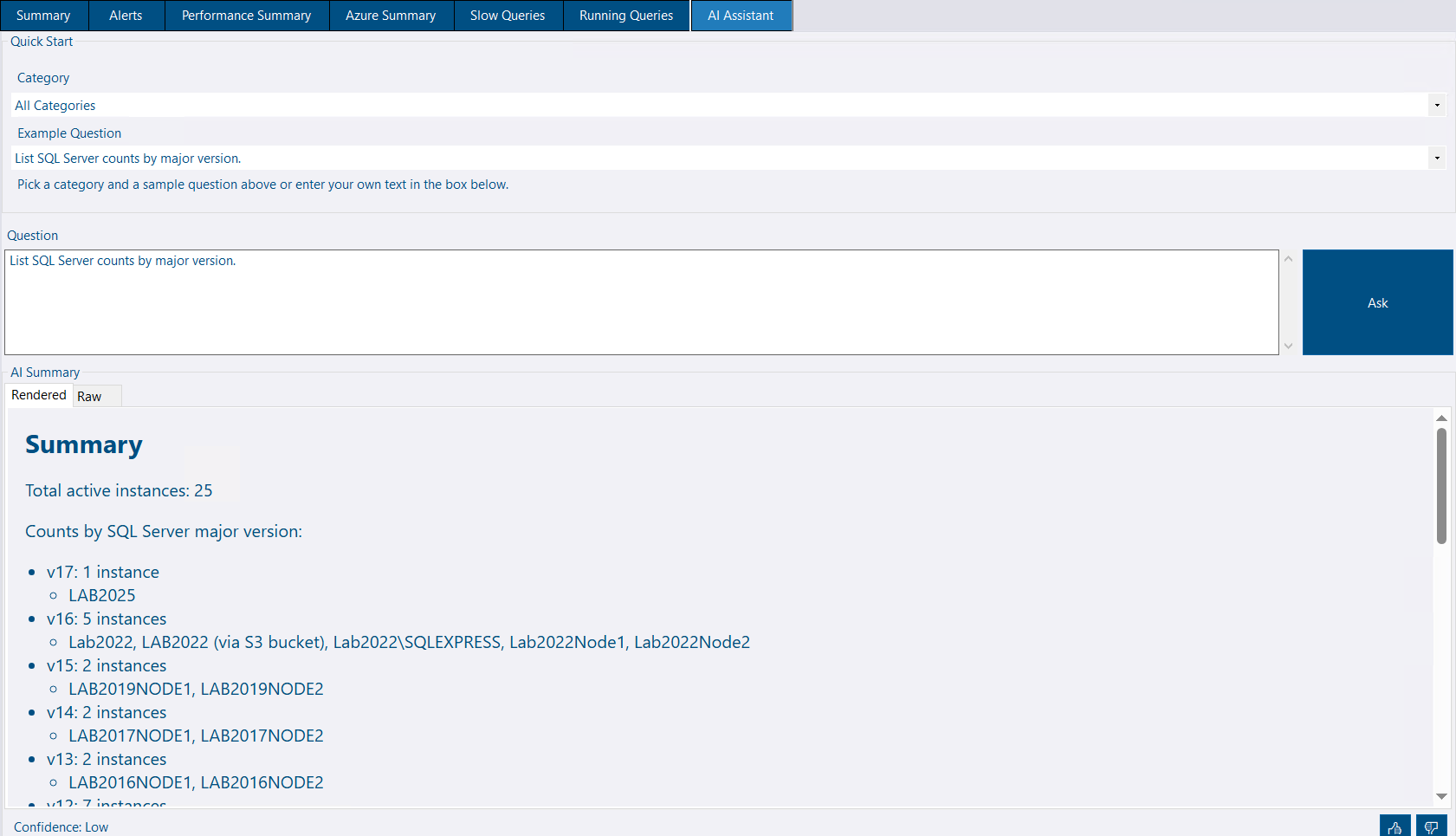
A Quick Start panel offers categorised example questions to help you get started. Type any question in plain English, click Ask, and the assistant returns results from the AI service as a formatted summary. A confidence indicator at the bottom of the response lets you gauge how reliable the answer is.
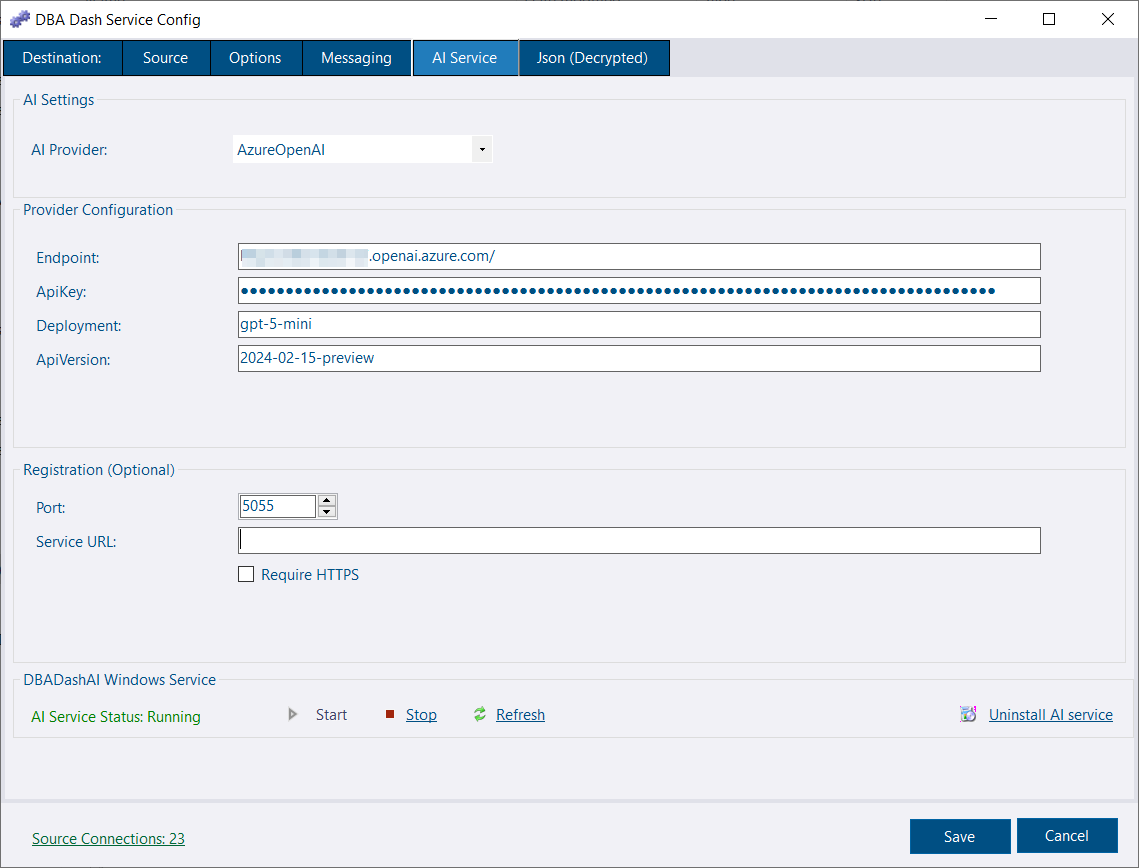
The AI Assistant tab is visible in the main interface but requires a separate AI service to be configured and running. The service supports Azure OpenAI and other providers, and is set up via the AI Service tab in the Service Configuration tool. See the AI Assistant docs for full setup instructions.
🙏 Thank you to goldenjacob for contributing this feature!
Help Wanted
The AI Assistant and its supporting service are at an early stage. If you’d like to help improve it — whether that’s better prompts, additional provider support, UI polish, or documentation — pull requests are very welcome on the DBA Dash GitHub repository.
Deadlock squares on the Blocking chart are now clickable. Clicking one runs sp_BlitzLock directly against the monitored instance, scoped to a narrow time window around the selected event — giving you immediate access to query text, execution plans, and findings for that specific deadlock.
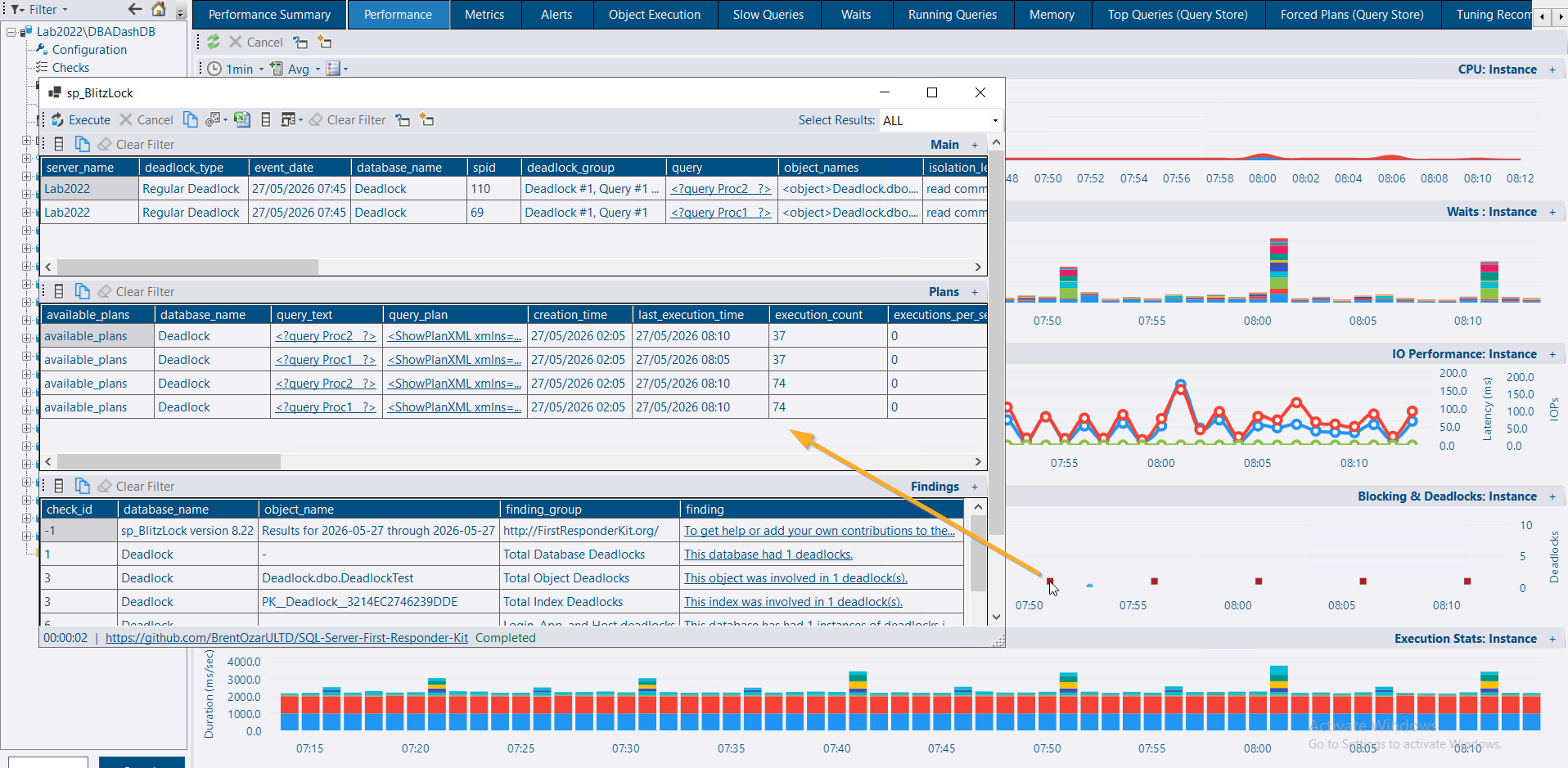
This is similar to the existing Show Deadlocks button but targeted to the exact event rather than the full date range. The feature uses the messaging system and requires sp_BlitzLock from the First Responder Kit to be configured as a community tool.
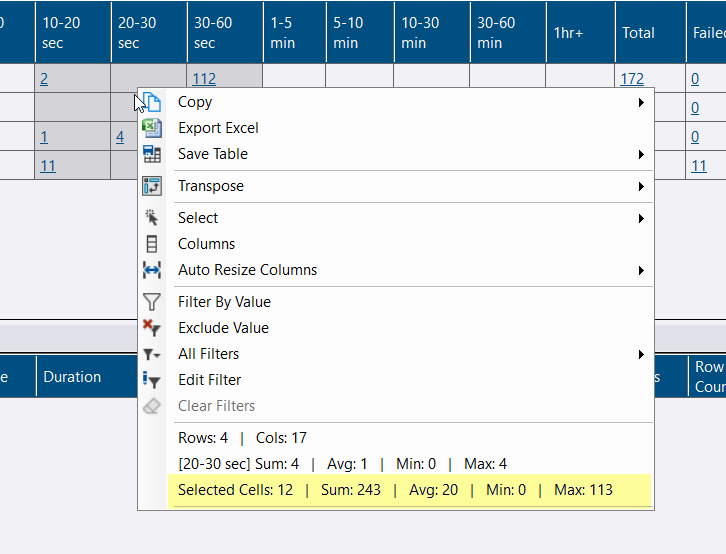
The grid context menu now shows aggregations for the selected cells in addition to the existing column-level summary. Highlight any range of cells and the context menu displays the cell count, sum, average, min, and max — similar to Excel.
See the 4.10.0 release notes for a full list of fixes and improvements.