Title here
Summary here
April 29, 2026 in Releases by David Wiseman2 minutes

Collect and report on database-level extended properties for organizational metadata, and enable the new built-in automatic update feature for the DBA Dash service.
Extended properties are a SQL Server feature that lets you attach arbitrary key-value metadata to database objects. At the database level they are commonly used to record organizational information — owner, team, cost centre, application name, business unit — that is invaluable when managing a large estate.
A new DatabaseExtendedProperties collection type has been added to DBA Dash. The collection runs at midnight by default, but the schedule can be adjusted — or the collection disabled entirely — in the service configuration tool.
The Database Extended Properties report is available in the Reports folder or under the Extended Properties node in the database-level tree. It shows all extended properties defined at the database level across your monitored instances, making it easy to query and compare organizational metadata in one place.
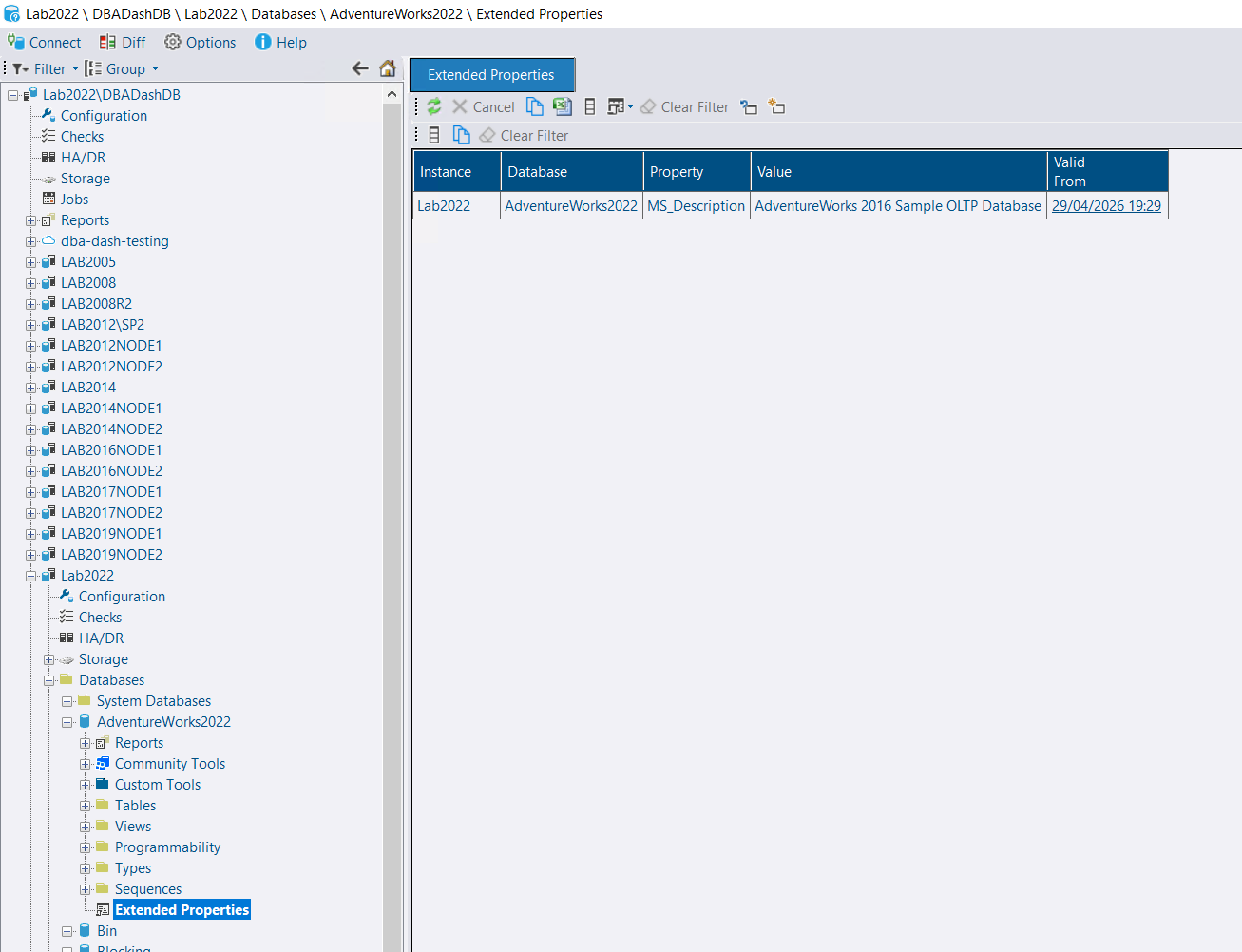
🙏 Thanks to goldenjacob for contributing this feature!
The DBA Dash service can now check for and apply updates automatically on a defined cron schedule. Previously this required external tooling or scripting — it is now a first-class feature built directly into the service.
Automatic updates are a beta feature. If an upgrade fails for a reason that requires manual intervention, monitoring will be interrupted until the issue is resolved. Review your environment carefully before enabling this feature in production.
Open the service configuration tool and add UpgradeCheckCron set to a cron schedule of your choice. For example, to check at midnight every day:
"UpgradeCheckCron": "0 0 0 1/1 * ? *",Ensure the service account is a member of the local administrators group or has permissions to start/stop the service and kill processes. The service needs to be stopped and any GUI instances terminated to avoid locked-file issues.
Automatic updates are disabled by default — no changes will happen until UpgradeCheckCron is configured.
See the 4.9.0 release notes for a full list of fixes and improvements.